Find Parts that fit Your Car
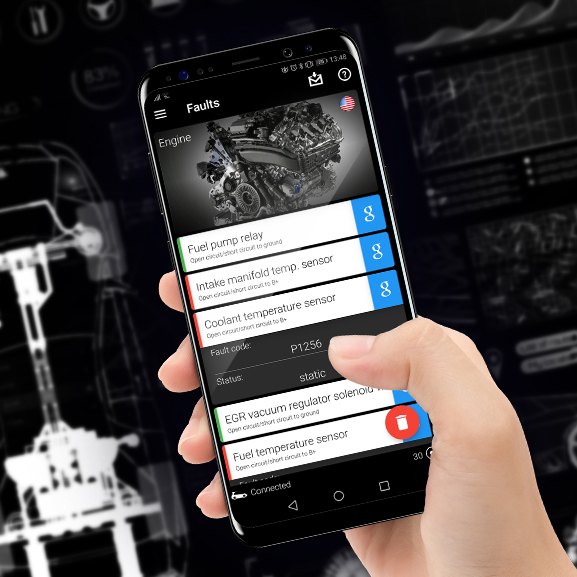
DIY OBD2 Diagnostics: Understand and Read Vehicle Fault Codes
Got a check engine light or warning symbol flashing on your dash? You don’t need to visit a mechanic just to find out what’s wrong. With a simple OBD2 diagnostic tool, you can scan your vehicle, read the fault codes, and understand the problem — all from your own garage.
What Is OBD2?
OBD2 (On-Board Diagnostics, version 2) is a system in nearly every car made after 1996. It monitors your engine, transmission, emissions, and more. When something goes wrong, it records a Diagnostic Trouble Code (DTC) that you can retrieve using an OBD2 scanner.
How to Scan Your Car
- Find your OBD2 port — usually located under the dashboard on the driver’s side.
- Plug in the scanner and turn the ignition to the ON position (engine off).
- Read the codes using your scanner. Many will display a short description of the issue.
- Look up the meaning of each code to determine the fault.
Understanding OBD2 Trouble Codes
Each OBD2 trouble code is five characters long. The first character is a letter that indicates the general system affected. The next four characters narrow down the specific fault.
Types of OBD2 Codes:
- P0xxx – Powertrain Codes
These refer to engine and transmission faults, such as fuel system issues, emissions problems, or ignition faults.
Examples:- P0172: System Too Rich (Bank 1)
- P0341: Camshaft Position Sensor Circuit Range/Performance
- C0xxx – Chassis Codes
These relate to mechanical systems outside of the engine, like brakes, steering, or suspension.
Examples:- C1234: Wheel Speed Sensor Rear Right Input Circuit Failure
- C0561: System Disabled Information Stored Invalid Data Received
- B0xxx – Body Codes
These cover interior and exterior systems such as airbags, lighting, climate control, and sensors.
Examples:- B0010: Driver Frontal Deployment Loop Resistance High
- B1200: Power Seat Memory Position Error
- U0xxx – Network Communication Codes
These indicate problems with data sharing between modules (like ABS, BCM, ECM, etc).
Examples:- U0101: Lost Communication with TCM (Transmission Control Module)
- U1000: Class 2 Communication Malfunction
Why Diagnose Your Own Car?
- Save money by avoiding unnecessary workshop scan fees
- Know exactly what’s wrong before you commit to a repair
- Catch early problems before they turn into expensive breakdowns
- Ideal for inspecting second-hand vehicles before buying
Even if you're not ready to tackle a repair yourself, scanning your car first puts you in control. Once you know the fault code, you can make an informed decision about your next step.
Need help with a repair you’ve identified? Our expert technicians can take it from here. Book your diagnostic or repair appointment online — fast, transparent, and trusted on the Sunshine Coast.
Start Scanning With the Right Tools
At Euro Car Upgrades, we stock trusted DIY OBD2 tools — from basic code readers to advanced Bluetooth scanners you can connect to your smartphone.
Browse DIY Diagnostic Tools Now
Take control of your vehicle diagnostics today. Whether you're an enthusiast or just want to avoid unnecessary workshop costs — scanning your car has never been easier.
Not Ready to DIY? We’ve Got You Covered
Not everyone wants to perform vehicle scans themselves — and that’s totally fine. Here are a few common reasons you might skip the DIY route:
- You’re short on time or just want a professional to handle it
- You prefer workshop-grade diagnostics and a detailed report
- You’re unsure how to interpret fault codes or what steps to take next
- You don’t plan to scan vehicles regularly
If that sounds like you, we’re here to help. Our workshop offers full vehicle diagnostics and expert fault interpretation. Book a diagnostic session with us here and let our team take care of it for you.
-
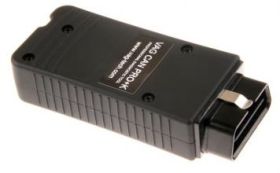
VW Audi Skoda SEAT VAG CAN PRO Diagnostic Interface & Software VCP+K with K-Line
Special Price $620.00 Regular Price $775.00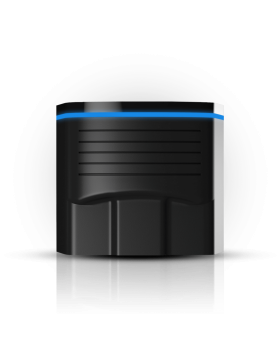
NextGen OBDeleven 2 PRO Pack OBD2 Diagnostics Coding Tool
Special Price $179.00 Regular Price $279.00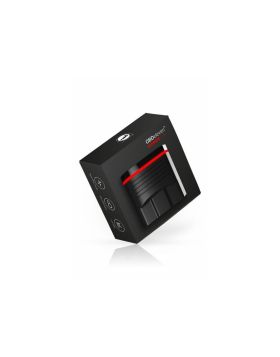
Nextgen OBDeleven 2 Diagnostics Coding Tool ULTIMATE pack obd 11
Special Price $325.00 Regular Price $495.00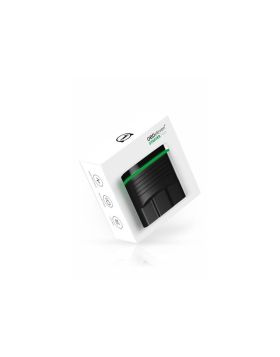
Nextgen OBDeleven 2 obd11 Diagnostics Coding Tool STARTER pack
Special Price $129.00 Regular Price $239.00