
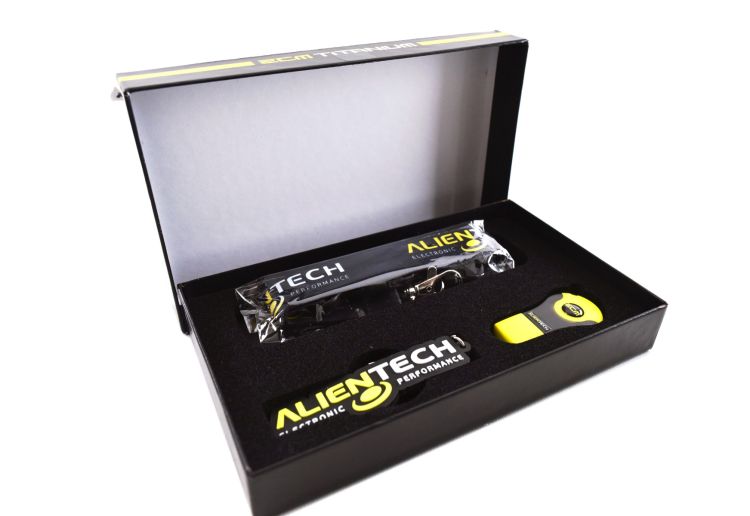
ECM TITANIUM Alientech ECU TCU Remapping & Calibration Software
Brand
Alientech
Alientech ECM Titanium is professional ECU and TCU remapping software designed to make calibration files faster and easier to analyse, understand and modify. Its database of more than 190,000 Drivers automatically identifies and organises calibration maps, transforming raw ECU and TCU data into a structured tuning environment.
Work in Table, 2D, 3D and HEX views to develop custom engine and transmission calibrations with precise control over maps and parameters. ECM Titanium is ideal for professional tuners, performance workshops and KESS3 Master users wanting to develop tuning files in-house.
Alientech ECM Titanium ECU TCU Calibration Software - Driver-Based Map Editing in Table, 2D, 3D and HEX
ECM Titanium – Professional ECU & TCU Calibration Software
Alientech ECM Titanium is a professional calibration and remapping platform for analysing and modifying ECU and TCU files. Built for tuning professionals, it combines an enormous database of calibration Drivers with powerful editing tools to make complex engine and transmission files easier to understand and work with.
Instead of manually searching through thousands of hexadecimal values, ECM Titanium identifies the important calibration areas within a supported file and organises them into logical maps and categories. The result is a faster, clearer and more efficient workflow for developing professional custom calibrations.
More Than 190,000 Drivers
At the heart of ECM Titanium is Alientech's continuously expanding database of more than 190,000 Drivers.
When an original ECU or TCU file is loaded, ECM Titanium searches its database for the appropriate Driver. The Driver identifies calibration maps and presents the relevant information using understandable names, values, units, addresses and conversion formulas.
Depending on the control unit and calibration, identified maps can include areas relating to:
- Engine torque and torque limiters
- Turbocharger and boost pressure
- Fuel quantity and injection
- Ignition parameters
- Air and load management
- RPM and speed limiters
- Throttle and driver-demand maps
- Transmission torque management
- Gearbox and TCU calibration parameters
This structured approach allows the tuner to spend more time developing the calibration and less time locating the data that needs to be modified.
Four Powerful Editing Views
ECM Titanium provides four different ways to analyse and modify calibration data, allowing the tuner to choose the most effective view for each operation.
Table View
Calibration values are presented in an organised table with clearly defined axes and values. Table mode provides a fast and precise way to make controlled numerical changes to identified maps.
2D View
View calibration data graphically in two dimensions, making it easier to identify curves, limiters, transitions and relationships between neighbouring values.
3D View
Visualise calibration maps as three-dimensional surfaces. This provides an intuitive way to understand how values change across multiple axes and makes irregularities or calibration changes easier to recognise.
HEX View
Advanced users can work directly with the hexadecimal contents of the file, providing access beyond the maps identified by the Driver and allowing detailed analysis of the complete calibration file.
Develop Your Own ECU & TCU Tuning Files
ECM Titanium gives professional tuners the ability to bring calibration development in-house.
Original files can be analysed, modified and saved as new projects, allowing you to create calibrations for different vehicle configurations, performance levels and customer requirements while retaining control over your own tuning work.
For a tuning workshop, this means greater control over calibration quality, turnaround time, intellectual property and margins.
Compare Original & Modified Files
ECM Titanium includes tools for comparing calibration files and analysing the differences between them. This makes it easier to understand existing modifications, review previous tuning work and develop revised calibrations from known projects.
Map data can also be transferred between suitable related files, helping experienced tuners build a more efficient calibration-development workflow.
ECM Titanium + KESS3 Master
ECM Titanium and Alientech KESS3 Master are designed to work together as a complete professional tuning solution.
- KESS3 communicates with the vehicle's ECU or TCU and handles supported reading and writing through OBD, Bench or Boot.
- ECM Titanium provides the calibration environment used to analyse and modify the file.
Read the original file with KESS3, develop the calibration in ECM Titanium and use KESS3 to program the completed file back to the control unit.
ECM Titanium can also work with compatible original ECU and TCU files obtained using other programming equipment, making it a powerful standalone calibration platform as well as the natural software companion for KESS3 Master.
ECM Titanium FULL
ECM Titanium FULL is designed for professional workshops carrying out regular ECU and TCU calibration work. It provides unrestricted file editing during the active subscription together with access to Alientech's Driver and original-file services within the applicable daily allowances.
This is the ideal configuration for established tuning businesses that require frequent access to the Driver database and want predictable access to the complete ECM Titanium workflow.
ECM Titanium CREDITS
ECM Titanium CREDITS provides a lower-entry-cost route into the same professional calibration environment.
Rather than committing immediately to the FULL configuration, Drivers and applicable services can be accessed using Alientech credits as required. Additional credits can be purchased as the workload grows, and the system provides a practical pathway for workshops beginning to develop their own tuning files.
Why Choose ECM Titanium?
- 190,000+ calibration Drivers covering an enormous range of ECU and TCU files
- Automatic Driver matching to quickly identify supported calibration maps
- Table, 2D, 3D and HEX editing in one professional environment
- ECU and TCU calibration for engine and transmission tuning
- File comparison tools for analysing original and modified calibrations
- Structured map identification with readable values, units and conversion formulas
- FULL and CREDITS configurations to suit different tuning businesses
- Seamless KESS3 Master workflow for professional reading, calibration and writing
- Continuously expanding Driver database backed by Alientech development
Who Is ECM Titanium For?
- Professional ECU and TCU tuners
- Performance and remapping workshops
- KESS3 Master users developing their own files
- Automotive calibration specialists
- Workshops bringing outsourced tuning work in-house
- Experienced tuners wanting a structured alternative to raw HEX editing
Build a Complete Alientech Tuning Platform
Combined with KESS3 Master, ECM Titanium gives a professional tuning workshop control over the complete process – from reading the original ECU or TCU through to calibration development and final programming.
For businesses supplying tuning remotely to customers and partner workshops, the wider Alientech ecosystem can also incorporate Powergate 4, creating a scalable professional tuning solution from workshop programming and calibration development through to remote file delivery.
Alientech ECM Titanium Australia
Euro Car Upgrades supplies genuine Alientech ECM Titanium in Australia together with KESS3, Powergate and professional Alientech tuning solutions for workshops looking to develop or expand their ECU and TCU calibration capabilities.
| Brand | Alientech |
|---|---|
| Condition | Brand new |
| Coding required | Online |
| Country of Manufacture | Italy |
Note:
Installation & Configuration
Professional installation and configuration are available through Euro Car Electronics. If you prefer to have this product professionally fitted, our team can assist with installation and any required vehicle setup.
Enquire about professional installation ↗
Coding is required after installation. Online coding is available for this product. Submit a coding enquiry↗
IMPORTANT: Some products require professional installation or specific installation procedures. Please review the product information and our Warranty Support & Returns ↗ information before installation.- -41%
 Special Price $295.00 Regular Price $495.00