Find Parts that fit Your Car
Which Mercedes-Benz map update do you need?
The correct update must match the navigation system, map region and supported release for your vehicle. Selecting “C-Class” or a registration year is a useful starting point, but it does not identify the map package on its own.
Our Mercedes-Benz map updates include options for different COMAND and MBUX systems. Provide your 17-character VIN so we can check compatibility. If the original head unit has been replaced or retrofitted, tell us and include a photo of the current system.
Unsure where to start? Send us your VIN and navigation screen photos, or call 07 5479 5555.
COMAND, MBUX and SD-card navigation: why the difference matters
Mercedes-Benz has used several navigation platforms. “NTG” identifies a system generation, but the exact version still matters: an update for COMAND NTG 4.5 is not a universal update for every Mercedes with a navigation screen.
- Earlier COMAND systems: some use DVD map media. Choose the disc for the specific system and region; the presence of a DVD drive alone does not establish compatibility.
- COMAND Online: select the correct NTG version and map package. Depending on the system, installation may involve update media and a vehicle-specific activation licence.
- MBUX: check the vehicle's supported update route and any existing Mercedes-Benz map-update entitlement before buying a separate service.
- Garmin MAP PILOT: this is a separate navigation solution used with compatible Audio 20 equipment. Its navigation SD card is not interchangeable with a COMAND map update.
Screen size, an SD-card slot or a NAV button can help describe the equipment, but none is enough to choose the update without checking the system.
What to check before ordering
- Find your VIN. Supply all 17 characters, together with the model and production date if known.
- Photograph the installed map version. Look for “Map version” in the navigation menu or settings. The menu path varies between systems, so use the vehicle's handbook if you cannot find it.
- Include the complete version text. The region and release information are more useful than the year alone. A clear photo avoids transcription mistakes.
- Tell us about imports or replacement equipment. A VIN check describes the original specification; we also need to know if the navigation unit has changed.
- Check the individual listing. Confirm the map edition, region, supplied items and installation requirements before placing the order.
If you cannot find a version screen, send a photo of the main navigation display and centre-console controls through our contact form. Do not buy a map solely because the advertised vehicle years overlap yours.
What does a map update actually change?
A map update refreshes the navigation database with the roads, addresses, junctions and points of interest included in that release. Its usefulness depends on how much newer it is than the version already installed and which changes the release contains.
Check the scope of the purchase: map data, system software, navigation activation and smartphone integration are different things. Do not assume that a map package includes firmware work, adds Apple CarPlay or Android Auto, or activates navigation on equipment that does not already support it.
Why some updates need an activation code
For supported COMAND Online updates, the licence is tied to a particular vehicle, navigation system and map version. Having the map files alone does not necessarily authorise installation, and a code supplied for another car is not a substitute for the correct licence.
Check whether the selected product includes the required activation, update media and installation service. These are separate parts of the job, and their inclusion depends on the listing. Older disc-based products and newer MBUX services should not be assumed to follow the same activation process.
What does “final edition” mean?
A final edition is the last map release for the specified system and region. It may still be newer than the maps in your car, but it should not be mistaken for current-year road coverage.
For example, our NTG 4 W204/SLS final-edition map DVD is an older-system product. It is not a way to install modern MBUX maps on an early COMAND unit.
Imported Mercedes-Benz vehicles may need a region conversion
If your vehicle was imported with overseas navigation, check the region before ordering Australian maps. Depending on the installed system, a region conversion or additional configuration may be necessary before the unit can accept local map data.
We offer a Mercedes-Benz navigation conversion service for supported UK imports. For other import markets, send us the VIN, country of origin and current map-region details so we can assess the options.
Can you install the update yourself?
That depends on the product and system. Some updates use physical map media, while others require prepared USB media, activation or a booked installation service. Follow the instructions for the exact update supplied rather than a generic procedure for another NTG generation.
- For a download-based update, confirm the computer requirements, storage capacity, media format and preparation instructions first.
- Allow time for downloading, preparing the media and installing the update. The total varies with the system and map package.
- Follow the specified power-supply requirements and do not remove update media during installation unless instructed.
- If the listing requires professional installation or coding, arrange that service before starting.
For MBUX, check the services available for your vehicle in your Mercedes-Benz account. Do not assume that an “Online Map Update” service means the whole update will automatically download over the air in Australia.
Choose the next step for your vehicle
- You know the system and installed version: browse the Mercedes-Benz map update range and check the matching product.
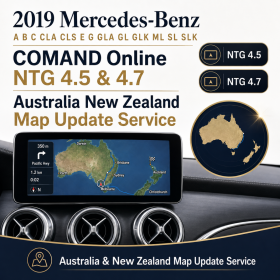
- You have COMAND NTG 4.5 or 4.7: see the 2019 Australia and New Zealand map update service.
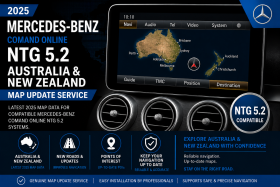
- You have COMAND NTG 5.5: see the 2025 Australia and New Zealand map update service.
- You are unsure, have an imported car or have changed the head unit: request a compatibility check before ordering, or call 07 5479 5555.
For more explanations of vehicle systems and upgrade requirements, visit our Upgrade Knowledge Hub.
Mercedes-Benz map update FAQs
Can you choose the update from my model and year?
Those details help narrow the choice, but the installed navigation system and map region must also match. Supply your VIN and current map-version photo, particularly if the car is near a system changeover or has replacement equipment.
Are maps available for Mercedes-Benz vehicles built before 2011?
Yes, our range includes map products for selected earlier COMAND systems. Some are final editions with older road coverage. Check the specific system and release rather than assuming that every older Mercedes can be updated to current-year maps.
Is the year in the product name the vehicle year?
On a map-update listing, it normally identifies the advertised map edition. It does not mean the update fits every Mercedes built in that year. Compatibility is listed separately and depends on the navigation system.
Does every Mercedes map update require an activation code?
No single activation rule covers all systems. Supported COMAND Online updates may require a vehicle-specific licence, while other navigation products use different arrangements. Check what is required and included in your selected listing.
Will the maps arrive as a download, a disc or a USB?
This depends on the product. The range includes physical map media and update services. Confirm the supply method and any installation booking before ordering; do not assume every product is an emailed download.
How much does a Mercedes-Benz map update cost?
Check the current price on the matching product page and whether activation and installation are included. A map disc, a licensed update service and an import conversion have different requirements, so compare the complete job rather than the map price alone.
Can I pause the update or switch the car off?
Follow the instructions for your exact system and update. Do not assume that every installation can be interrupted and resumed. If you are unsure about power requirements or an on-screen message, contact us before proceeding.
Will a map update fix a blank screen or navigation fault?
A map update should not be purchased as a presumed repair for a blank screen, repeated restarts or a navigation system that will not start. Send us the symptoms and any error message first so we can advise whether diagnosis is needed.