Find Parts that fit Your Car
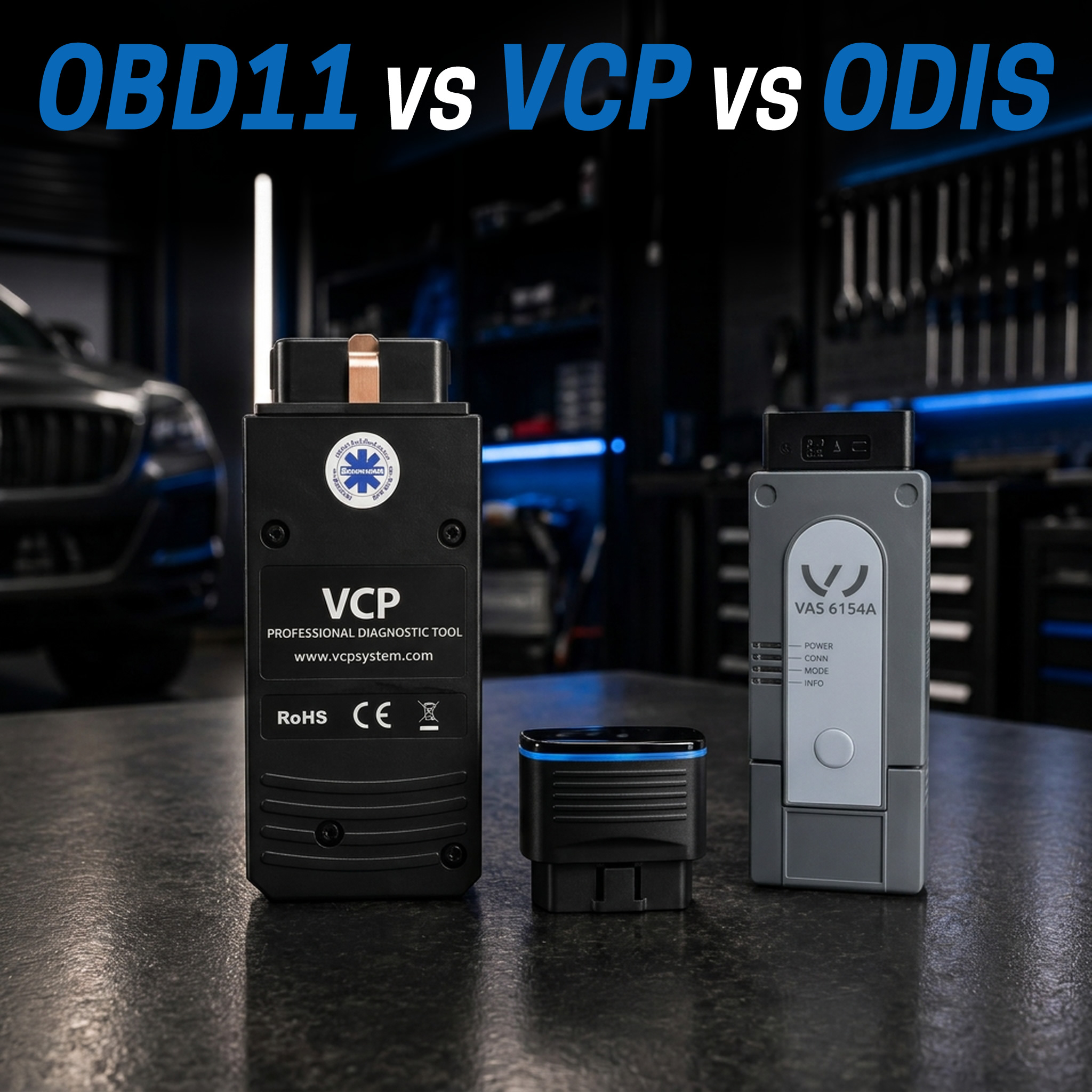
Modern cars depend on electronics for almost everything. Engine management, transmission control, ABS, airbags, steering, lighting, infotainment, battery management, emissions systems and driver assistance are all controlled and monitored electronically.
That means a relatively simple fault can illuminate half the dashboard, disable a system or put the vehicle into reduced-power or limp mode.
For anyone who owns, modifies or works on modern European cars, some level of diagnostic access has become one of the most useful tools you can have.
The question is no longer whether a diagnostic scanner is useful. The question is how much diagnostic access you actually need.
For Volkswagen Group vehicles in particular, there are three very different levels worth understanding:
- OBDeleven – the smart choice for owners and DIY enthusiasts.
- VAG CAN PRO / VCP – for advanced enthusiasts, retrofit specialists and professional VAG workshops.
- ODIS – Volkswagen Group factory diagnostics for workshops that need genuine manufacturer-level access.
They overlap in some areas, but they are not simply cheap, medium and expensive versions of the same scanner.
Each one is designed for a different kind of user and a different level of work.
The Quick Answer
| You Want To... | Best Starting Point |
|---|---|
| Scan your own VW, Audi, Skoda or Cupra and understand warning lights | OBDeleven Starter |
| Read faults, monitor live data and use occasional ready-made customisations | OBDeleven Starter |
| Manually code, adapt and configure your own VAG vehicle | OBDeleven PRO |
| Have manual coding plus frequent One-Click Apps | OBDeleven ULTIMATE |
| Go much deeper into VAG retrofits, parameterisation and programming | VAG CAN PRO / VCP |
| Run a workshop specialising in VW Group electronics and diagnostics | VCP or VCP+K |
| Perform genuine manufacturer online programming, Component Protection and security-related procedures | ODIS |
First: You Need to Be Able to Talk to the Car
A basic universal OBD scanner can be useful for reading common engine fault codes, but modern European vehicles contain many control units that go far beyond the engine ECU.
If the ABS warning appears, the DSG enters emergency mode, an electronic parking brake stops operating or a driver-assistance system shuts down, knowing that the engine ECU has no faults is not particularly helpful.
A proper vehicle diagnostic tool lets you scan the electronic systems across the vehicle and see what the control units themselves are reporting.
That is incredibly useful even if you never intend to repair the car yourself.
You can:
- see why the warning light has appeared;
- identify which control unit has stored the fault;
- read and clear diagnostic trouble codes;
- monitor live sensor information;
- check the vehicle again after a repair;
- give your workshop useful information before the car even arrives.
If you own a modern Volkswagen Group vehicle and like knowing what is going on with your own car, this is where OBDeleven makes an enormous amount of sense.
OBDeleven – The Diagnostic Tool Most VAG Owners Should Start With
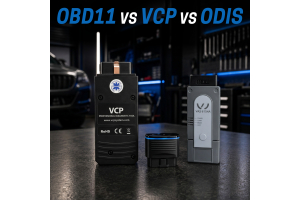
OBDeleven 2 NextGen, also commonly searched as OBD11, puts genuinely useful Volkswagen Group diagnostics into a small Bluetooth device operated from your smartphone.
Plug it into the OBD port, connect the app and you can scan the vehicle without carrying around a laptop, diagnostic interface and power supply.
Even without a paid PRO or ULTIMATE plan, OBDeleven provides the core functions most owners buy a scanner for:
- vehicle fault scanning;
- reading and clearing diagnostic trouble codes;
- supported live data;
- vehicle and control-unit information;
- access to supported One-Click Apps using Credits.
For a VAG owner who wants to know why the car has suddenly thrown a warning light or entered limp mode, that alone can justify having one in the glovebox.
More Than Just Fault Codes
OBDeleven has become popular because it does considerably more than basic diagnostics.
On supported Volkswagen Group vehicles you can also use ready-made One-Click Apps to perform vehicle customisations and supported service functions without manually working through coding channels yourself.
If you want direct control rather than pre-configured Apps, the PRO and ULTIMATE plans open the door to manual coding, adaptations and deeper vehicle configuration.
OBDeleven Starter, PRO or ULTIMATE?
The hardware is the same OBDeleven 2 NextGen device. What changes is how much software access you want.
| Pack | Best For | Main Capability |
|---|---|---|
| Starter | Everyday owners and DIY diagnostics | Fault scanning, clearing, live data and One-Click Apps using Credits |
| PRO | Experienced VAG enthusiasts | Manual coding, long coding, adaptations, Basic Settings and advanced VAG access |
| ULTIMATE | Enthusiasts who want everything conveniently available | PRO functions plus extensive One-Click App access under the applicable fair-use policy |
OBDeleven Starter – Put a Proper Scanner in Your Toolbox
If your main goal is diagnostics, Starter is enough to make OBDeleven genuinely useful.
You can scan the car when a warning appears, read the faults, check available live information and clear stored faults after the problem has been repaired.
For many owners this is exactly what they need.
OBDeleven PRO – When You Want to Start Changing Things
PRO is where OBDeleven becomes much more interesting to the serious Volkswagen Group enthusiast.
On supported VAG vehicles, PRO gives access to functions including:
- coding and long coding;
- sub-control-unit coding;
- adaptations and long adaptations;
- Basic Settings;
- supported output tests;
- security access;
- gateway installation-list coding;
- supported SFD access.
This lets you move beyond simply asking the car what is wrong and start configuring the systems fitted to it.
If you enjoy retrofits, coding or learning how the electronics in your Volkswagen, Audi, Skoda or Cupra actually work, PRO is the pack we would choose.
OBDeleven ULTIMATE – Manual Control Plus Convenience
ULTIMATE includes the advanced manual functionality of PRO and adds extensive access to OBDeleven's One-Click Apps under its fair-use policy.
That makes it the natural choice for someone who wants to manually code when necessary but also likes the convenience of selecting a supported ready-made customisation and letting the app do the work.
For a detailed breakdown of all three packs, see our OBDeleven Starter vs PRO vs ULTIMATE comparison.
So Why Would You Need More Than OBDeleven?
Because there is a big difference between owning and modifying your car and regularly carrying out specialist electronics work on Volkswagen Group vehicles.
OBDeleven is incredibly capable for something that fits in your pocket.
But once you start getting seriously involved in:
- OEM retrofit work;
- control-unit replacement;
- parameterisation;
- advanced module programming;
- EEPROM-level functions;
- ECU flashing;
- older VAG platforms using K-Line;
- repeating the same advanced procedures professionally;
a laptop-based professional platform starts making much more sense.
This is where VAG CAN PRO enters the picture.
VAG CAN PRO – Where Serious VAG Diagnostics Begin
VAG CAN PROFESSIONAL, normally shortened to VCP, is aimed at experienced users and professional technicians working deeply with Volkswagen Group electronics.
It is not simply a bigger fault-code reader.
VCP combines diagnostics with coding, adaptations, guided functions, parameter uploads, specialist programming and expandable software functions.
The current VCP 2.0 CAN+UDS interface is designed around modern VAG platforms, while VCP+K adds K-Line communication for earlier Volkswagen Group vehicles.
That makes VCP particularly attractive to:
- advanced VAG enthusiasts;
- OEM retrofit specialists;
- automotive electronics technicians;
- independent Volkswagen Group workshops;
- businesses carrying out coding and module programming.
VCP Goes Well Beyond Basic Diagnostics
Depending on the control unit and installed VCP functions, the platform can provide access to:
- full fault diagnostics and live measurements;
- coding and long coding;
- adaptations and Basic Settings;
- security access;
- Engineering diagnostic sessions;
- EEPROM read/write functions;
- ZDC parameter-file uploads;
- guided One Click Functions;
- supported ECU flashing;
- scripts and specialist programming functions.
Why ZDC and Parameterisation Matter
This is one of the areas where the difference between an enthusiast diagnostic tool and a specialist VAG platform becomes obvious.
Modern control units are not always configured simply by changing a few coding bits.
Some modules also require the correct parameter dataset.
VCP supports ZDC parameter-file uploads on supported Volkswagen Group control units, which can be extremely valuable when working with OEM retrofits, replacement modules and vehicle configuration.
For a workshop installing electronic equipment or specialising in retrofits, this can turn jobs that would otherwise require much more complicated factory-tool intervention into repeatable workshop procedures.
VCP One Click Functions Are Built for Real Workshop Jobs
VCP's OCF – One Click Function – system is not the same concept as a cosmetic smartphone customisation app.
These guided functions are designed to simplify workshop procedures.
The VCP system includes guided procedures for operations such as:
- electronic parking-brake service;
- DPF regeneration and adaptation;
- battery coding;
- sensor calibration;
- injector coding and testing;
- DSG adaptations;
- BCM programming;
- xenon and lighting configuration;
- service interval configuration;
- parameter-data upload.
For someone repairing or retrofitting VAG vehicles every week, that starts saving real workshop time.
VCP or VCP+K?
The current VCP CAN+UDS interface is the obvious choice if you primarily work with newer Volkswagen Group cars.
VCP+K adds K-Line support and extends the manufacturer's stated model-year coverage back to approximately 1993.
That matters if your work regularly includes earlier Audi, Volkswagen, Skoda or SEAT platforms where important control units still communicate over K-Line.
Shop VCP CAN Professional Compare VCP Systems
Is VCP a Replacement for ODIS?
Not completely – and that is not really the right way to compare them.
VCP is an extremely useful independent professional VAG platform.
ODIS is the Volkswagen Group's factory diagnostic environment.
A specialist workshop can have very good reasons to own both.
VCP can be excellent for everyday diagnostics, coding, retrofits, parameterisation and specialist functions.
ODIS becomes important when the job requires access to the manufacturer's own infrastructure.
When Should a Workshop Invest in ODIS?
Factory diagnostics only make commercial sense when your workshop has reached the point where factory access can generate or retain enough work to justify it.
If you service the occasional Volkswagen, spending thousands of dollars setting up genuine factory diagnostics may not be the first investment to make.
But if Volkswagen Group vehicles are becoming a significant part of your business and you regularly encounter profitable work that has to be sent elsewhere because it requires manufacturer access, the equation changes very quickly.
ODIS starts making sense when your workshop wants to bring functions such as these in-house:
- Volkswagen Group factory guided diagnostics;
- manufacturer programming procedures;
- control-unit software updates;
- SVM Software Version Management;
- Component Protection procedures;
- immobiliser and key-related manufacturer functions;
- authorised security-related operations;
- factory technical diagnostic workflows.
At that point you are not buying a more expensive scanner. You are adding a new capability to the workshop.
What ODIS Adds That an Independent Tool Cannot
GeKo & Security Functions
Volkswagen Group's GeKo environment provides authorised access to security and Component Protection functions.
Depending on the vehicle and authorised access, this is used for procedures involving components such as keys, immobiliser-related control units and Component Protection-equipped modules.
These are exactly the kinds of jobs that can otherwise leave an independent workshop dependent on a dealer or outside specialist.
SVM & Factory Programming
SVM – Software Version Management – connects the workshop to Volkswagen Group's factory software-management processes.
It allows supported control units to be programmed and managed using manufacturer information rather than relying solely on independent diagnostic functionality.
For a busy VAG specialist, bringing that capability in-house can significantly expand the work the workshop can complete from beginning to end.
ODIS Is a Workshop System, Not Just a Laptop
This is an important distinction.
Buying a rugged laptop with ODIS installed is only one part of establishing proper factory-level diagnostics.
A professional setup can also involve:
- the appropriate diagnostic laptop or tablet;
- a suitable VAS diagnostic interface;
- ODIS software configuration;
- manufacturer registration;
- workshop and user approvals;
- the appropriate brand access;
- security-related authorisations where required;
- training so the technicians can actually use the system effectively.
This is also why Euro Car Upgrades approaches factory diagnostics differently from simply selling another scan tool.
Euro Car Upgrades Can Help Build the Complete Factory Diagnostics Setup
If your workshop is ready to move into genuine dealer-level diagnostics, we can help with the process from beginning to end.
Depending on the manufacturer, this can include helping the workshop through the required approval and registration process, supplying the appropriate pre-configured diagnostic laptop or tablet, supplying the required diagnostic interface, configuring the system and training your technicians to use it.
For Volkswagen Group workshops we can supply ODIS-ready professional systems, including rugged Getac and other workshop hardware, together with VAS diagnostic interface options.
We can also assist workshops looking to establish factory diagnostic capability for manufacturers including Audi, Volkswagen, Skoda, Cupra, Bentley, Mercedes-Benz, Porsche, Volvo, BMW, Rolls-Royce, Lamborghini and Land Rover.
Every manufacturer handles access differently, so factory diagnostic packages are quoted according to the brand, hardware and access your workshop actually needs.
Set Up Factory Diagnostics for Your Workshop
Browse Professional Diagnostic Equipment
Should You Throw Away VCP Once You Have ODIS?
No.
A workshop does not need to choose one diagnostic ecosystem and throw everything else away.
VCP remains an extremely useful professional VAG tool for fast diagnostics, coding, retrofits, parameterisation and specialist functions.
ODIS adds the genuine manufacturer environment when the job needs factory online access, guided processes or authorised programming.
In a specialist VAG workshop, they can complement each other very well.
Which VAG Diagnostic Tool Should You Buy?
You Own a Volkswagen, Audi, Skoda or Cupra
Buy OBDeleven.
For a relatively small investment you gain the ability to scan your own vehicle, understand faults, check live information and stop being completely dependent on a workshop every time a warning light appears.
If you only want diagnostics, start with Starter.
If you want to manually code and adapt the car, buy PRO.
If you want advanced manual access plus frequent ready-made customisations, buy ULTIMATE.
You Are an Advanced VAG Enthusiast or Retrofit Specialist
Look at VAG CAN PRO.
If you are already installing modules, working with parameter datasets, carrying out serious retrofit coding or want access to specialist VAG functions from a laptop-based system, VCP is the more appropriate platform.
You Run an Independent VAG Workshop
VCP is a very strong professional tool to have.
Its coding, parameterisation, guided functions, expandable flashing and specialist Volkswagen Group capabilities make it much more appropriate as a workshop platform than relying on a consumer-oriented phone scanner.
You Are Regularly Sending Factory-Level VAG Jobs Somewhere Else
It is time to look seriously at ODIS.
If you are already losing programming, Component Protection, security or manufacturer-online work because you do not have the required factory access, the diagnostic system has the potential to pay for itself by keeping those jobs inside your business.
Talk to Us About Factory Diagnostics
Frequently Asked Questions
Is OBDeleven worth having just for fault diagnostics?
Yes. Being able to scan the vehicle yourself, read the stored faults, view supported live data and clear faults after a repair makes OBDeleven useful even if you never manually code a single control unit.
For modern VAG ownership, it is one of the most useful small tools you can keep in the car.
Can OBDeleven diagnose why my car is in limp mode?
Yes. OBDeleven can scan supported vehicle control units and show the diagnostic faults stored when the vehicle enters limp mode. It can also clear the stored faults once the underlying problem has been addressed.
If the condition that caused the fault is still present, the control unit will normally detect it again – which is exactly why having access to the diagnostic information is useful.
Do I need OBDeleven PRO?
If you only want fault scanning, clearing and live information, you do not need PRO.
If you want to manually code, perform adaptations or access deeper Volkswagen Group configuration functions, PRO is where OBDeleven becomes significantly more capable.
Is OBDeleven only for Volkswagen Group vehicles?
No. The current OBDeleven platform supports diagnostics and selected functions across additional manufacturers.
However, its deep manual coding and adaptation capability is particularly strong on Volkswagen Group vehicles, which is why OBDeleven remains such a popular choice for VW, Audi, Skoda, SEAT and Cupra owners.
Is VAG CAN PRO only for workshops?
No. An experienced enthusiast or serious retrofit builder can get enormous value from VCP.
But the deeper you move into parameterisation, control-unit programming, guided procedures and repeated specialist work, the more VCP starts to look like a professional workshop tool rather than a consumer scanner.
What can VCP do that makes it different from OBDeleven?
VCP is built around professional Volkswagen Group diagnostic and programming work. Its specialist capabilities include ZDC parameter-file uploads, guided OCF procedures, Engineering diagnostic sessions, supported EEPROM functions, ECU flashing options, scripts and expandable programming functions.
OBDeleven remains the easier and more convenient tool for most owners. VCP is aimed at the user who wants to go considerably deeper.
What is VCP+K?
VCP+K combines the current CAN and UDS functionality with K-Line communication for earlier Volkswagen Group vehicles.
If you regularly work on older VAG platforms as well as modern cars, VCP+K gives you considerably broader coverage from the same system.
Does VCP replace ODIS?
Not entirely. VCP can perform an enormous amount of professional VAG diagnostic, coding, retrofit and programming work, but ODIS provides access to Volkswagen Group's genuine factory diagnostic environment and authorised online services.
A specialist workshop can have very good reasons to use both.
Does ODIS replace VCP?
Not necessarily. ODIS gives the workshop genuine manufacturer capability, while VCP can remain an excellent day-to-day tool for coding, parameterisation, specialist diagnostic functions and retrofit work.
When should an independent workshop invest in ODIS?
When Volkswagen Group work has become a meaningful part of the workshop and you are regularly outsourcing jobs because they require manufacturer online access, ODIS starts becoming a business investment rather than simply another diagnostic expense.
Bringing factory programming, Component Protection and authorised manufacturer procedures in-house can allow the workshop to complete significantly more jobs from start to finish.
What are GeKo and SVM?
GeKo is part of Volkswagen Group's authorised environment for security and Component Protection-related procedures, including supported immobiliser and protected-control-unit work.
SVM – Software Version Management is the manufacturer's system for managing supported control-unit software and programming processes.
These are examples of the genuine factory capabilities that make ODIS fundamentally different from an independent diagnostic platform.
Can Euro Car Upgrades supply an ODIS diagnostic system?
Yes. Euro Car Upgrades supplies professional ODIS diagnostic hardware, including pre-configured rugged laptops and VAS diagnostic-interface options.
We can also help workshops through the wider process required to establish genuine factory diagnostic capability.
Can Euro Car Upgrades help my workshop obtain manufacturer diagnostic access?
Yes. We can assist trade workshops with the manufacturer approval process, supply the appropriate pre-configured diagnostic hardware and provide training once the system is established.
Because every manufacturer has its own process and requirements, factory diagnostic packages are quoted individually.
Start with the Diagnostic Access You Actually Need
You do not need to spend thousands of dollars on factory diagnostics to understand why your own Volkswagen has illuminated a warning light.
And a busy specialist workshop should not limit itself to a consumer scanner when deeper professional tools can open up an entirely different range of work.
The right diagnostic system is the one that gives you access to the jobs you actually want to do.
For the VAG owner, that usually means OBDeleven.
For the serious enthusiast, retrofit specialist or independent workshop, it is worth stepping into VAG CAN PRO.
And when a professional workshop is ready to stop sending factory-level jobs elsewhere, ODIS and genuine manufacturer diagnostics become the next capability worth adding to the business.
-

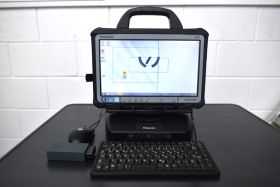
Volkswagen Audi Škoda CUPRA VAS 6160A ODIS Diagnostic Kit with VAS 5054A
Special Price $3,850.00 Regular Price $6,995.00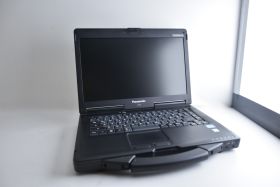
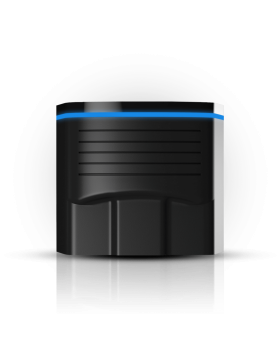
NextGen OBDeleven 2 PRO Pack OBD2 Diagnostics Coding Tool
Special Price $179.00 Regular Price $279.00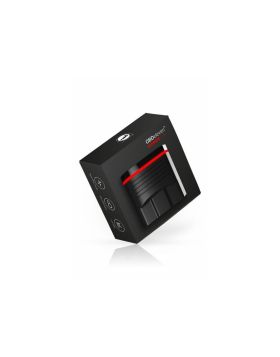
Nextgen OBDeleven 2 Diagnostics Coding Tool ULTIMATE pack obd 11
Special Price $325.00 Regular Price $495.00